Blog

  • passrofi

                        GNU GENERAL PUBLIC LICENSE
                           Version 2, June 1991
    
     Copyright (C) 1989, 1991 Free Software Foundation, Inc.,
     51 Franklin Street, Fifth Floor, Boston, MA 02110-1301 USA
     Everyone is permitted to copy and distribute verbatim copies
     of this license document, but changing it is not allowed.
    
                                Preamble
    
      The licenses for most software are designed to take away your
    freedom to share and change it.  By contrast, the GNU General Public
    License is intended to guarantee your freedom to share and change free
    software--to make sure the software is free for all its users.  This
    General Public License applies to most of the Free Software
    Foundation's software and to any other program whose authors commit to
    using it.  (Some other Free Software Foundation software is covered by
    the GNU Lesser General Public License instead.)  You can apply it to
    your programs, too.
    
      When we speak of free software, we are referring to freedom, not
    price.  Our General Public Licenses are designed to make sure that you
    have the freedom to distribute copies of free software (and charge for
    this service if you wish), that you receive source code or can get it
    if you want it, that you can change the software or use pieces of it
    in new free programs; and that you know you can do these things.
    
      To protect your rights, we need to make restrictions that forbid
    anyone to deny you these rights or to ask you to surrender the rights.
    These restrictions translate to certain responsibilities for you if you
    distribute copies of the software, or if you modify it.
    
      For example, if you distribute copies of such a program, whether
    gratis or for a fee, you must give the recipients all the rights that
    you have.  You must make sure that they, too, receive or can get the
    source code.  And you must show them these terms so they know their
    rights.
    
      We protect your rights with two steps: (1) copyright the software, and
    (2) offer you this license which gives you legal permission to copy,
    distribute and/or modify the software.
    
      Also, for each author's protection and ours, we want to make certain
    that everyone understands that there is no warranty for this free
    software.  If the software is modified by someone else and passed on, we
    want its recipients to know that what they have is not the original, so
    that any problems introduced by others will not reflect on the original
    authors' reputations.
    
      Finally, any free program is threatened constantly by software
    patents.  We wish to avoid the danger that redistributors of a free
    program will individually obtain patent licenses, in effect making the
    program proprietary.  To prevent this, we have made it clear that any
    patent must be licensed for everyone's free use or not licensed at all.
    
      The precise terms and conditions for copying, distribution and
    modification follow.
    
                        GNU GENERAL PUBLIC LICENSE
       TERMS AND CONDITIONS FOR COPYING, DISTRIBUTION AND MODIFICATION
    
      0. This License applies to any program or other work which contains
    a notice placed by the copyright holder saying it may be distributed
    under the terms of this General Public License.  The "Program", below,
    refers to any such program or work, and a "work based on the Program"
    means either the Program or any derivative work under copyright law:
    that is to say, a work containing the Program or a portion of it,
    either verbatim or with modifications and/or translated into another
    language.  (Hereinafter, translation is included without limitation in
    the term "modification".)  Each licensee is addressed as "you".
    
    Activities other than copying, distribution and modification are not
    covered by this License; they are outside its scope.  The act of
    running the Program is not restricted, and the output from the Program
    is covered only if its contents constitute a work based on the
    Program (independent of having been made by running the Program).
    Whether that is true depends on what the Program does.
    
      1. You may copy and distribute verbatim copies of the Program's
    source code as you receive it, in any medium, provided that you
    conspicuously and appropriately publish on each copy an appropriate
    copyright notice and disclaimer of warranty; keep intact all the
    notices that refer to this License and to the absence of any warranty;
    and give any other recipients of the Program a copy of this License
    along with the Program.
    
    You may charge a fee for the physical act of transferring a copy, and
    you may at your option offer warranty protection in exchange for a fee.
    
      2. You may modify your copy or copies of the Program or any portion
    of it, thus forming a work based on the Program, and copy and
    distribute such modifications or work under the terms of Section 1
    above, provided that you also meet all of these conditions:
    
        a) You must cause the modified files to carry prominent notices
        stating that you changed the files and the date of any change.
    
        b) You must cause any work that you distribute or publish, that in
        whole or in part contains or is derived from the Program or any
        part thereof, to be licensed as a whole at no charge to all third
        parties under the terms of this License.
    
        c) If the modified program normally reads commands interactively
        when run, you must cause it, when started running for such
        interactive use in the most ordinary way, to print or display an
        announcement including an appropriate copyright notice and a
        notice that there is no warranty (or else, saying that you provide
        a warranty) and that users may redistribute the program under
        these conditions, and telling the user how to view a copy of this
        License.  (Exception: if the Program itself is interactive but
        does not normally print such an announcement, your work based on
        the Program is not required to print an announcement.)
    
    These requirements apply to the modified work as a whole.  If
    identifiable sections of that work are not derived from the Program,
    and can be reasonably considered independent and separate works in
    themselves, then this License, and its terms, do not apply to those
    sections when you distribute them as separate works.  But when you
    distribute the same sections as part of a whole which is a work based
    on the Program, the distribution of the whole must be on the terms of
    this License, whose permissions for other licensees extend to the
    entire whole, and thus to each and every part regardless of who wrote it.
    
    Thus, it is not the intent of this section to claim rights or contest
    your rights to work written entirely by you; rather, the intent is to
    exercise the right to control the distribution of derivative or
    collective works based on the Program.
    
    In addition, mere aggregation of another work not based on the Program
    with the Program (or with a work based on the Program) on a volume of
    a storage or distribution medium does not bring the other work under
    the scope of this License.
    
      3. You may copy and distribute the Program (or a work based on it,
    under Section 2) in object code or executable form under the terms of
    Sections 1 and 2 above provided that you also do one of the following:
    
        a) Accompany it with the complete corresponding machine-readable
        source code, which must be distributed under the terms of Sections
        1 and 2 above on a medium customarily used for software interchange; or,
    
        b) Accompany it with a written offer, valid for at least three
        years, to give any third party, for a charge no more than your
        cost of physically performing source distribution, a complete
        machine-readable copy of the corresponding source code, to be
        distributed under the terms of Sections 1 and 2 above on a medium
        customarily used for software interchange; or,
    
        c) Accompany it with the information you received as to the offer
        to distribute corresponding source code.  (This alternative is
        allowed only for noncommercial distribution and only if you
        received the program in object code or executable form with such
        an offer, in accord with Subsection b above.)
    
    The source code for a work means the preferred form of the work for
    making modifications to it.  For an executable work, complete source
    code means all the source code for all modules it contains, plus any
    associated interface definition files, plus the scripts used to
    control compilation and installation of the executable.  However, as a
    special exception, the source code distributed need not include
    anything that is normally distributed (in either source or binary
    form) with the major components (compiler, kernel, and so on) of the
    operating system on which the executable runs, unless that component
    itself accompanies the executable.
    
    If distribution of executable or object code is made by offering
    access to copy from a designated place, then offering equivalent
    access to copy the source code from the same place counts as
    distribution of the source code, even though third parties are not
    compelled to copy the source along with the object code.
    
      4. You may not copy, modify, sublicense, or distribute the Program
    except as expressly provided under this License.  Any attempt
    otherwise to copy, modify, sublicense or distribute the Program is
    void, and will automatically terminate your rights under this License.
    However, parties who have received copies, or rights, from you under
    this License will not have their licenses terminated so long as such
    parties remain in full compliance.
    
      5. You are not required to accept this License, since you have not
    signed it.  However, nothing else grants you permission to modify or
    distribute the Program or its derivative works.  These actions are
    prohibited by law if you do not accept this License.  Therefore, by
    modifying or distributing the Program (or any work based on the
    Program), you indicate your acceptance of this License to do so, and
    all its terms and conditions for copying, distributing or modifying
    the Program or works based on it.
    
      6. Each time you redistribute the Program (or any work based on the
    Program), the recipient automatically receives a license from the
    original licensor to copy, distribute or modify the Program subject to
    these terms and conditions.  You may not impose any further
    restrictions on the recipients' exercise of the rights granted herein.
    You are not responsible for enforcing compliance by third parties to
    this License.
    
      7. If, as a consequence of a court judgment or allegation of patent
    infringement or for any other reason (not limited to patent issues),
    conditions are imposed on you (whether by court order, agreement or
    otherwise) that contradict the conditions of this License, they do not
    excuse you from the conditions of this License.  If you cannot
    distribute so as to satisfy simultaneously your obligations under this
    License and any other pertinent obligations, then as a consequence you
    may not distribute the Program at all.  For example, if a patent
    license would not permit royalty-free redistribution of the Program by
    all those who receive copies directly or indirectly through you, then
    the only way you could satisfy both it and this License would be to
    refrain entirely from distribution of the Program.
    
    If any portion of this section is held invalid or unenforceable under
    any particular circumstance, the balance of the section is intended to
    apply and the section as a whole is intended to apply in other
    circumstances.
    
    It is not the purpose of this section to induce you to infringe any
    patents or other property right claims or to contest validity of any
    such claims; this section has the sole purpose of protecting the
    integrity of the free software distribution system, which is
    implemented by public license practices.  Many people have made
    generous contributions to the wide range of software distributed
    through that system in reliance on consistent application of that
    system; it is up to the author/donor to decide if he or she is willing
    to distribute software through any other system and a licensee cannot
    impose that choice.
    
    This section is intended to make thoroughly clear what is believed to
    be a consequence of the rest of this License.
    
      8. If the distribution and/or use of the Program is restricted in
    certain countries either by patents or by copyrighted interfaces, the
    original copyright holder who places the Program under this License
    may add an explicit geographical distribution limitation excluding
    those countries, so that distribution is permitted only in or among
    countries not thus excluded.  In such case, this License incorporates
    the limitation as if written in the body of this License.
    
      9. The Free Software Foundation may publish revised and/or new versions
    of the General Public License from time to time.  Such new versions will
    be similar in spirit to the present version, but may differ in detail to
    address new problems or concerns.
    
    Each version is given a distinguishing version number.  If the Program
    specifies a version number of this License which applies to it and "any
    later version", you have the option of following the terms and conditions
    either of that version or of any later version published by the Free
    Software Foundation.  If the Program does not specify a version number of
    this License, you may choose any version ever published by the Free Software
    Foundation.
    
      10. If you wish to incorporate parts of the Program into other free
    programs whose distribution conditions are different, write to the author
    to ask for permission.  For software which is copyrighted by the Free
    Software Foundation, write to the Free Software Foundation; we sometimes
    make exceptions for this.  Our decision will be guided by the two goals
    of preserving the free status of all derivatives of our free software and
    of promoting the sharing and reuse of software generally.
    
                                NO WARRANTY
    
      11. BECAUSE THE PROGRAM IS LICENSED FREE OF CHARGE, THERE IS NO WARRANTY
    FOR THE PROGRAM, TO THE EXTENT PERMITTED BY APPLICABLE LAW.  EXCEPT WHEN
    OTHERWISE STATED IN WRITING THE COPYRIGHT HOLDERS AND/OR OTHER PARTIES
    PROVIDE THE PROGRAM "AS IS" WITHOUT WARRANTY OF ANY KIND, EITHER EXPRESSED
    OR IMPLIED, INCLUDING, BUT NOT LIMITED TO, THE IMPLIED WARRANTIES OF
    MERCHANTABILITY AND FITNESS FOR A PARTICULAR PURPOSE.  THE ENTIRE RISK AS
    TO THE QUALITY AND PERFORMANCE OF THE PROGRAM IS WITH YOU.  SHOULD THE
    PROGRAM PROVE DEFECTIVE, YOU ASSUME THE COST OF ALL NECESSARY SERVICING,
    REPAIR OR CORRECTION.
    
      12. IN NO EVENT UNLESS REQUIRED BY APPLICABLE LAW OR AGREED TO IN WRITING
    WILL ANY COPYRIGHT HOLDER, OR ANY OTHER PARTY WHO MAY MODIFY AND/OR
    REDISTRIBUTE THE PROGRAM AS PERMITTED ABOVE, BE LIABLE TO YOU FOR DAMAGES,
    INCLUDING ANY GENERAL, SPECIAL, INCIDENTAL OR CONSEQUENTIAL DAMAGES ARISING
    OUT OF THE USE OR INABILITY TO USE THE PROGRAM (INCLUDING BUT NOT LIMITED
    TO LOSS OF DATA OR DATA BEING RENDERED INACCURATE OR LOSSES SUSTAINED BY
    YOU OR THIRD PARTIES OR A FAILURE OF THE PROGRAM TO OPERATE WITH ANY OTHER
    PROGRAMS), EVEN IF SUCH HOLDER OR OTHER PARTY HAS BEEN ADVISED OF THE
    POSSIBILITY OF SUCH DAMAGES.
    
                         END OF TERMS AND CONDITIONS
    
                How to Apply These Terms to Your New Programs
    
      If you develop a new program, and you want it to be of the greatest
    possible use to the public, the best way to achieve this is to make it
    free software which everyone can redistribute and change under these terms.
    
      To do so, attach the following notices to the program.  It is safest
    to attach them to the start of each source file to most effectively
    convey the exclusion of warranty; and each file should have at least
    the "copyright" line and a pointer to where the full notice is found.
    
        <one line to give the program's name and a brief idea of what it does.>
        Copyright (C) <year>  <name of author>
    
        This program is free software; you can redistribute it and/or modify
        it under the terms of the GNU General Public License as published by
        the Free Software Foundation; either version 2 of the License, or
        (at your option) any later version.
    
        This program is distributed in the hope that it will be useful,
        but WITHOUT ANY WARRANTY; without even the implied warranty of
        MERCHANTABILITY or FITNESS FOR A PARTICULAR PURPOSE.  See the
        GNU General Public License for more details.
    
        You should have received a copy of the GNU General Public License along
        with this program; if not, write to the Free Software Foundation, Inc.,
        51 Franklin Street, Fifth Floor, Boston, MA 02110-1301 USA.
    
    Also add information on how to contact you by electronic and paper mail.
    
    If the program is interactive, make it output a short notice like this
    when it starts in an interactive mode:
    
        Gnomovision version 69, Copyright (C) year name of author
        Gnomovision comes with ABSOLUTELY NO WARRANTY; for details type `show w'.
        This is free software, and you are welcome to redistribute it
        under certain conditions; type `show c' for details.
    
    The hypothetical commands `show w' and `show c' should show the appropriate
    parts of the General Public License.  Of course, the commands you use may
    be called something other than `show w' and `show c'; they could even be
    mouse-clicks or menu items--whatever suits your program.
    
    You should also get your employer (if you work as a programmer) or your
    school, if any, to sign a "copyright disclaimer" for the program, if
    necessary.  Here is a sample; alter the names:
    
      Yoyodyne, Inc., hereby disclaims all copyright interest in the program
      `Gnomovision' (which makes passes at compilers) written by James Hacker.
    
      <signature of Ty Coon>, 1 April 1989
      Ty Coon, President of Vice
    
    This General Public License does not permit incorporating your program into
    proprietary programs.  If your program is a subroutine library, you may
    consider it more useful to permit linking proprietary applications with the
    library.  If this is what you want to do, use the GNU Lesser General
    Public License instead of this License.
    

    Visit original content creator repository

  • typin

    typin README

    typin is a Type Inferencer for understanding what types of objects are flowing through your Python code. It observes your code dynamically and can record all the types that each function sees, returns or raises. typin can then use this information to create Python’s type annotations or __doc__ strings to insert into your code.

    typin is currently proof-of-concept and a very early prototype. It is Python 3 only at the moment. There is a forthcoming project https://github.com/paulross/pytest-typin which turns typin into a pytest plugin so that your unit tests can generate type annotations and documentation strings.

    Example

    Lets say you have a function that creates a repeated string, like this:

    def function(s, num):
        if num < 1:
            raise ValueError('Value must be > 0, not {:d}'.format(num))
        lst = []
        while num:
            lst.append(s)
            num -= 1
        return ' '.join(lst)

    You can exercise this under the watchful gaze of typin:

    from typin import type_inferencer
    
    with type_inferencer.TypeInferencer() as ti:
        assert function('Hi', 2) == 'Hi Hi'

    You can then get the types that typin has observed as a string suitable for a stub file:

    ti.stub_file_str(__file__, '', 'function')
    # returns: 'def function(s: str, num: int) -> str: ...'

    Then adding code that provokes the exception we can track that as well:

    from typin import type_inferencer
    
    with type_inferencer.TypeInferencer() as ti:
        assert function('Hi', 2) == 'Hi Hi' # As before
        try:
            function('Hi', 0)
        except ValueError:
            pass

    Exception specifications are not part of Python’s type annotation but they are part of of the Sphinx documentation string standard and typin can provide that, and the line number where it should be inserted:

    line_number, docstring = ti.docstring(__file__, '', 'function', style='sphinx')
    docstring
    """
    <insert documentation for function>
    
    :param s: <insert documentation for argument>
    :type s: ``str``
    
    :param num: <insert documentation for argument>
    :type num: ``int``
    
    :returns: ``str`` -- <insert documentation for return values>
    
    :raises: ``ValueError``
    """
    # Insert template docstrings into the source code.
    new_src = ti.insert_docstrings(__file__, style='sphinx')
    with open(__file__, 'w') as f:
        for line in new_src:
            f.write(line)

    Sadly typin is not smart enough to write the documentation text for you 🙂

    There is a CLI interface typin_cli that is an entry point to typin/src/typin/typin_cli.py. This executes arbitrary python code using compile() and exec() like the following example. Note use of -- followed by Python script then the arguments for that script surrounded by quotes:

    $ python typin_cli.py --stubs=stubs/ --write-docstrings=docstrings/ -- example.py 'foo bar baz'

    This will compile()/exec() example.py with the arguments foo bar baz write the stub files ('.pyi' files) to stubs/ and the source code with the docstrings inserted to docstrings/.

    typin_cli.py help:

    $ python typin_cli.py --help
    usage: typin_cli.py [-h] [-l LOGLEVEL] [-d] [-t] [-e EVENTS_TO_TRACE]
                        [-s STUBS] [-w WRITE_DOCSTRINGS]
                        [--docstring-style DOCSTRING_STYLE] [-r ROOT]
                        program argstring
    
    typin_cli - Infer types of Python functions.
      Created by Paul Ross on 2017-10-25. Copyright 2017. All rights reserved.
      Version: v0.1.0 Licensed under MIT License
    USAGE
    
    positional arguments:
      program               Python target file to be compiled and executed.
      argstring             Argument as a string to give to the target. Prefix
                            this with '--' to avoid them getting consumed by
                            typin_cli.py
    
    optional arguments:
      -h, --help            show this help message and exit
      -l LOGLEVEL, --loglevel LOGLEVEL
                            Log Level (debug=10, info=20, warning=30, error=40,
                            critical=50) [default: 30]
      -d, --dump            Dump results on stdout after processing. [default:
                            False]
      -t, --trace-frame-events
                            Very verbose trace output, one line per frame event.
                            [default: False]
      -e EVENTS_TO_TRACE, --events-to-trace EVENTS_TO_TRACE
                            Events to trace (additive). [default: []] i.e. every
                            event.
      -s STUBS, --stubs STUBS
                            Directory to write stubs files. [default: ]
      -w WRITE_DOCSTRINGS, --write-docstrings WRITE_DOCSTRINGS
                            Directory to write source code with docstrings.
                            [default: ]
      --docstring-style DOCSTRING_STYLE
                            Style of docstrings, can be: 'google', 'sphinx'.
                            [default: sphinx]
      -r ROOT, --root ROOT  Root path of the Python packages to generate stub
                            files for. [default: .]
    Documentation Status Updates

    Python type inferencing.

    Features

    • TODO

    Credits

    This package was created with Cookiecutter and the audreyr/cookiecutter-pypackage project template.

    Visit original content creator repository
  • fraCtal

    fraCtal

    fraCtal generates fractals of any dimension that you want. It can generate fractals belonging at two sets: Mandelbrot and Julia.


    Supported features:

    ✅ multithreading support
    ✅ initial support to custom color palette
    ✅ color can be personalized
    ✅ image saved as a PNG file (using lodepng)

    Future plans:

    🎯 SDL2 support
    🎯 ImGUI support

    Comparison between 1 vs 4 threads:

    1-thread 4-thread (x0, x1, y0, y1)
    166.30s 57.37s (0.37, 0.40, 0.21, 0.16)
    198.322s 111.56s (0.37, 0.40, 0.21, 0.26)
    46.11s 21.60s (2.0, -2.0, 1.7, -1.7)

    You can specify another number of threads in main.c.

    The New Colors Algorithm

    There are a lot a change in the color algorithm, and you can change some parameters to make it more or less interesting. A special thanks goes to BrutPitt for the precious hints.

    // Blue and red from 0.00 to 255.0
    double blue_a = 0.0, blue_b = 255.0;
    double red_a  = 0.0, red_b  = 255.0;
    
    // Fractal must be red on x axis and blue on y axis
    double rstepx = (red_b - red_a) / coords->w;
    double bstepy = (blue_b - blue_a) / coords->h;

    The way the green channel get computed is the following:

    int val_in = 0, val_out = 0;
    int g = 0;
    if(k >= 32) {
        g = (int)(255.0 - ((((double)k + val_in)) / (coords->max_iterations + val_in) * (255.0-val_out)));
    }

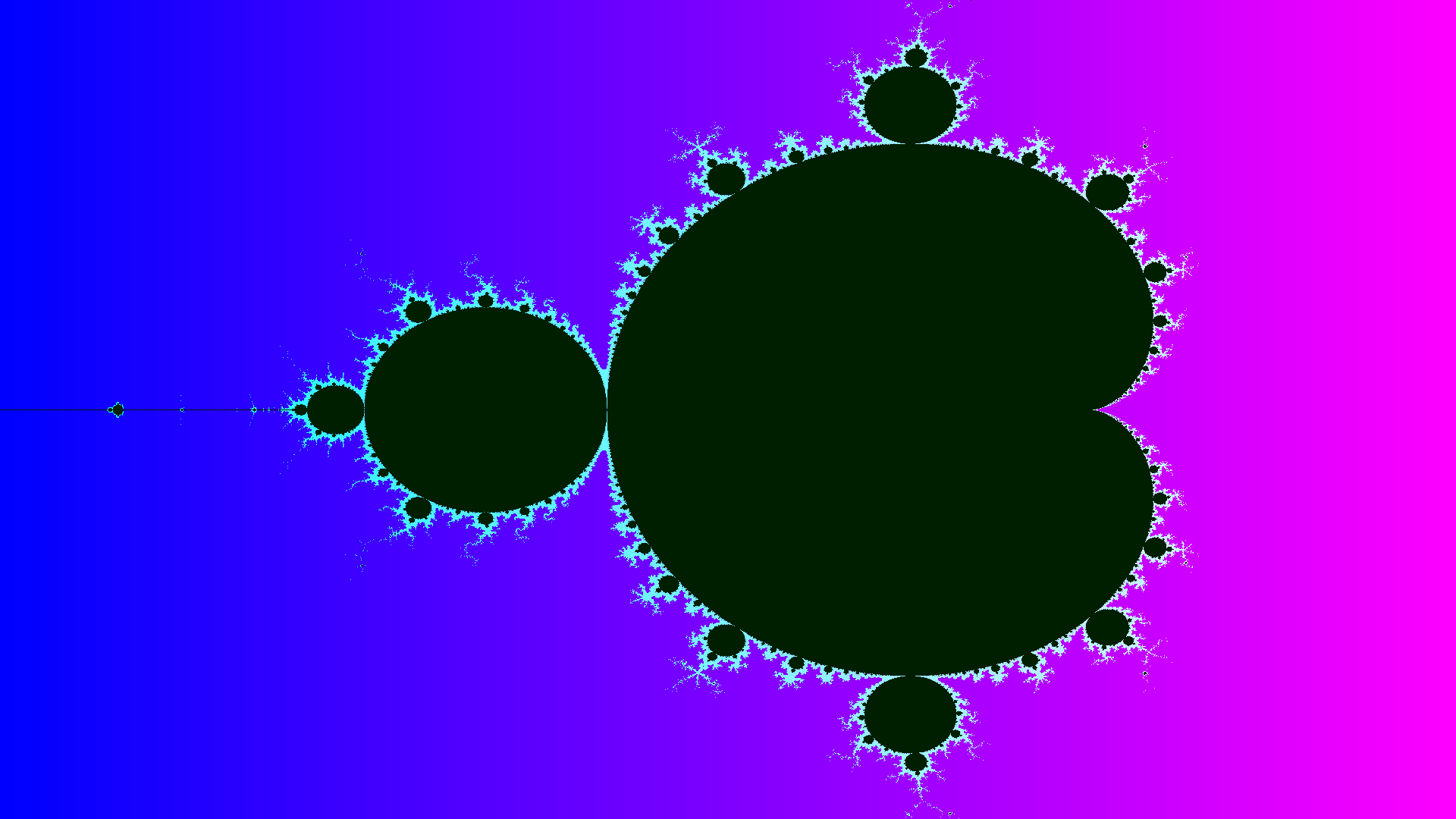
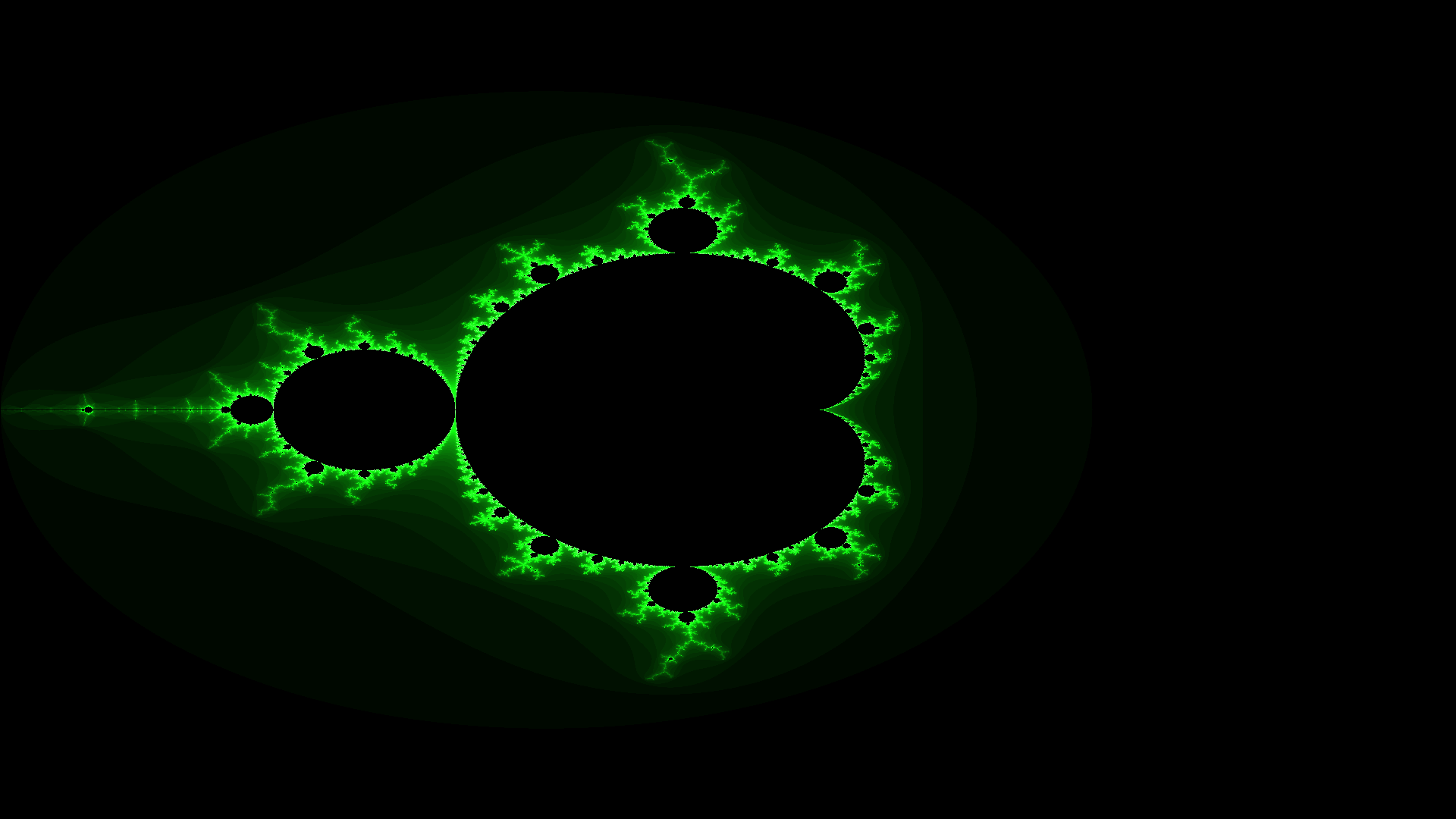
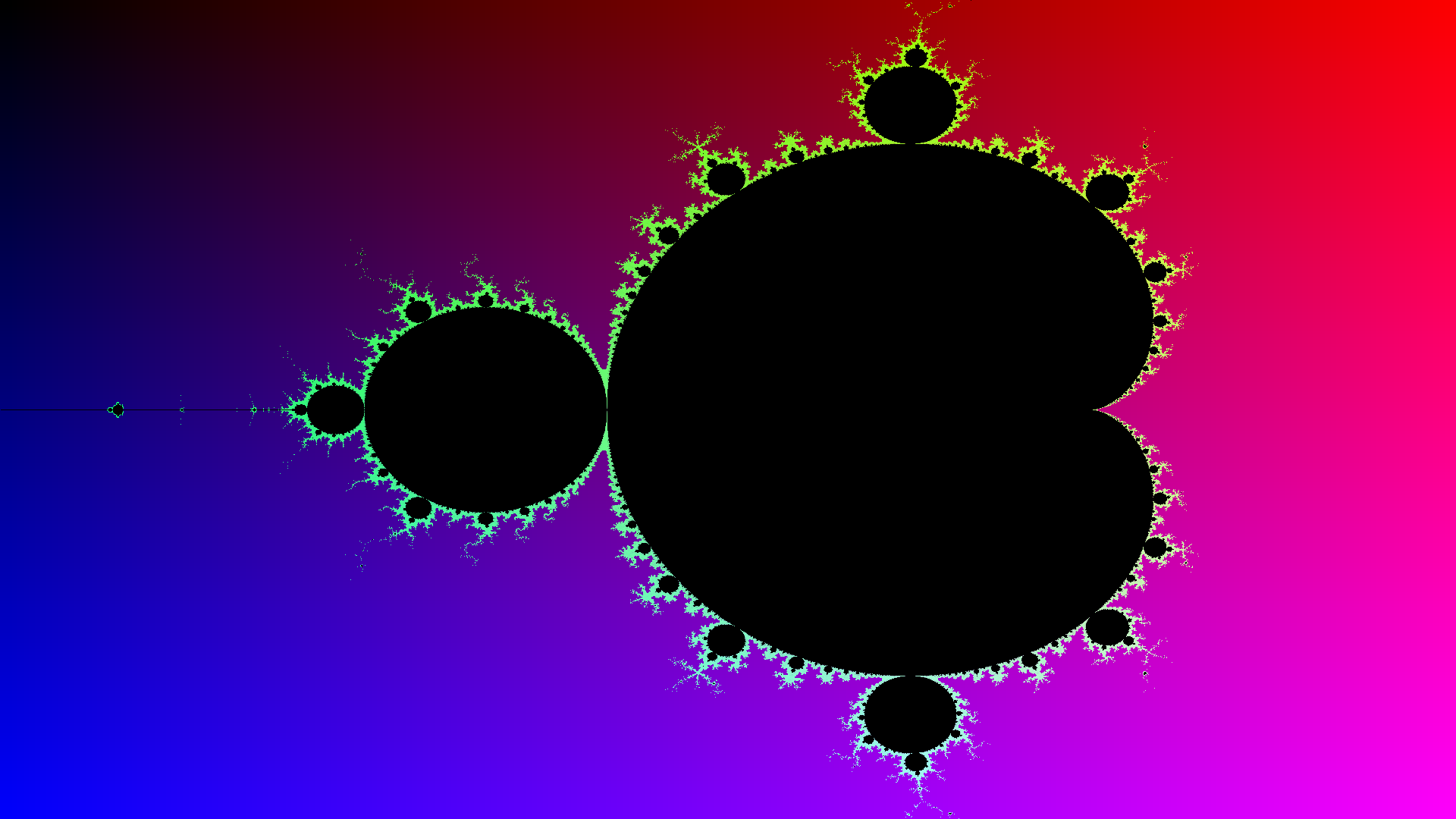
    Below you can see how the fractal looks like:

    mandelbrot_black

    With val_out = 0 and without attenuation (eg. you can comment the attenuation computation or set it to 1.0):

    mandelbrot

    With:

    int val_in = 32, val_out = 150;
    int g = 0;
    if(k >= 32) {
        g = (int)(255.0 - ((((double)k + val_in)) / (coords->max_iterations + val_in) * (255.0-val_out)));
    }

    and without attenuation:

    mandelbrot

    Without attenuation:

    int val_in = 32, val_out = 0;
    int g = 0;
    if(k >= 0) {
        g = (int)(255.0 - ((((double)k + val_in)) / (coords->max_iterations + val_in) * (255.0-val_out)));
    }

    mandelbrot

    With:

    double blue_a = 255.0, blue_b = 255.0;
    double red_a  = 0.0, red_b  = 255.0;
    
    int val_in = 32, val_out = 32;
    int g = 0;
    if(k >= 32) {
    g = (int)(255.0 - ((((double)k + val_in)) / (coords->max_iterations + val_in) * (255.0-val_out)));
    }
    
    double atten = ((double)k / coords->max_iterations);
    atten = 1.0 - (atten*atten);
    
    r = (int)((double)r * atten);
    b = (int)((double)b * atten);

    The image will be:

    mandelbrot


    Color Palette

    Last but not least, now is possible load colors (R,G,B) from a text file with the following format:

    size (number of lines)
    r,g,b
    r,g,b
    .....
    

    as an example, consider the image on Wikipedia: this are the colors:

    16
    66,30,15
    25,7,26
    9,1,47
    4,4,73
    0,7,100
    12,44,138
    24,82,177
    57, 125,209
    134,181,229
    211,236,248
    241,233,191
    248,201,95
    255,170,0
    204,128,0
    153,87,0
    106,52,3
    

    you can find it the palette.txt file. As a result we get:

    mandelbrot_wiki

    Uncomment PALETTE in mandelbrot.h if you want use them.

    Mathematical formula and explanation

    On the web there are a lot of explanations about this formula so I don’t want to be boring or maybe not totally precise.

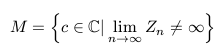
    Z and C are two complex numbers. Complex numbers are composed by two parts: a real part, and a imaginary part. The formula tell to us that if the value of the function Zn for the value c is not infinite when n approaches infinity, then c belongs to the set. If C belongs to the set, then we choose the black color; otherwise the color will be white.

    Besides mathematics: the code

    To determine which will be the color (eg. black or not) we can’t obviously iterate to infinity. Luckily maths tell that for definition if the absolute value of Z gets bigger of 2 it will never return closer to 2. So thanks to that we can iterate N times; N could be little but it depends from the number of pixels of the image.

    This is my code:

    double y = info.y1 + (((double)j * (info.y0-info.y1)) / (double)info.h);
    double x = info.x1 + (((double)i * (info.x0-info.x1)) / (double)info.w);

    Here x and y are the coords of the 2D plan (scaled). In this manner y and x are the imaginary part and the real part of the complex number C seen before (the point that we need to know if belong or not to the set).

    The N number is chosen by user. We must just iterate till this value is reached or break the loop if the square root of the abs value is greater then 2; we can simplify this operation removing the sqrt and check for 4.

    Here the code:

    for(i = 0; i < info.depth; i++)
    {
        z    = complex_sum(complex_mul(z, z), c);
        *abs = complex_abs(z);
    
        if(*abs > 4.0) {
            break;
        }
    }

    Just to summarize: if abs is greater than 4, the C point is not part of the set and it will be left white (but is common give another color based on the amount of iterations); if the value is below 4 then the common color is black because is part of the set.

    The Area

    The area is determined by x0, x1, y0 and y1. They represent the cartesian plane and they are the real part and imaginary part. This four numbers are important because – how we will see – we can use them to zoomin or zoomout in the fractal.

    The Colors

    In the first part of this README I had talked about the Zn function and his result that tell to us if the value C belongs to the set or not. When C not belongs to the set we can set a color based on the numbers of the iterations. The intensity of the color differ based on the number of iterations.

    If you want to change the primary color (eg, make the fractal red, green or blue or whatever) you must edit the code.

    Here some examples; all the images are generated using the same “zoom” (default zooming): x0=2.0, x1=-2.0, y0=2.0, y1=-2.0 and the same iterations, 2.000:

    For example, to get this blue, you must use:

    int r =  iteration>>2;
    int g =  iteration>>1;
    int b =  iteration<<3;
    
    r = (r>128) ? 128 : r;
    g = (g>128) ? 128 : g;
    b = (b>255) ? 255 : b;

    mandelbrot_blue

    For the green version, you must change the code in this way:

    int r =  iteration>>1;
    int g =  iteration<<3;
    int b =  iteration>>1;
    
    r = (r>128) ? 128 : r;
    g = (g>255) ? 255 : g;
    b = (b>128) ? 128 : b;

    mandelbrot_green

    For the red/orange version:

    int r =  iteration<<2;
    int g =  iteration>>1;
    int b =  iteration>>2;
    
    r = (r>255) ? 255 : r;
    g = (g>128) ? 128 : g;
    b = (b>128) ? 128 : b;

    mandelbrot_red1

    Obviously this is not the only way to set a color.

    We can also zoom in, how I said before. Let’s take a look here, x0=0.37, x1=0.40, y0=0.21, y1=0.26 using the same red color:

    mandel_red

    How you can see the color make the difference!

    Gallery

    fractal

    mandelbroat_blue_zoom

    mandelbrot_acquamarina

    mandelbrot_blue_green

    mandelbrot_light_blue

    mandelbrot_orange

    Visit original content creator repository
  • typescript-monorepo-example

    TypeScript Monorepo Example

    This is just a quick example of how you can setup VS Code to work with a Lerna monorepo, along with working examples of:

    Effectively, this is what I wish I had when I first got started and it is my hope to save anyone else some frustration.

    Project Structure

    packages/app

    A semi-functional, contrived TypeScript application based on two Lerna dependencies:

    • packages/url-fetch
    • packages/eslint-config-typescript

    packages/url-fetch

    An example TypeScript dependency that’s purpose is to fetch webpage with a redirect and return the new url.

    packages/eslint-config-typescript

    An example dependency that’s contain a common set of TypeScript ESlint configuration that extends and overrides the package eslint-config-airbnb-typescript so that each Lerna package does not have to have its .eslint.yaml be separately maintained.

    Getting started

    Install Lerna

    Install Lerna globally.

    npm install --global lerna
    

    Install Yarn

    Install Yarn globally.

    npm install --global yarn
    

    Clone this package locally

    git clone https://github.com/abd1tus/typescript-monorepo-example.git
    

    bootstrap Lerna

    cd typescript-monorepo-example
    lerna bootstrap
    

    Run tests on all packages with the command line

    cd typescript-monorepo-example
    yarn test
    

    Lint all packages with the command line

    cd typescript-monorepo-example
    yarn lint
    

    Build all packages with the command line

    cd typescript-monorepo-example
    yarn build
    

    Publishing with Lerna

    The beauty behind Lerna is its ability make editing interdependent packages together much easier by automatically updating package versions for you as needed, as well as committing those changes to git, and publishing to npm (or other, if configured).

    cd typescript-monorepo-example
    lerna publish
    

    or to force updates of all Lerna tracked packages.

    cd typescript-monorepo-example
    lerna publish --force-publish
    

    If you are not publishing packages to npm:

    cd typescript-monorepo-example
    lerna publish -skip-npm
    

    Note, packages in the project are marked as private in package.json so that they cannot be accidentally published to npmjs.com (or any others). In your own project you may want to choose to leave some packages public, and others marked as private that do not need to be packaged – such as AWS lambda functions that don’t get re-used anywhere.

    Working with a Lerna monorepo in VS Code

    The lerna bootstrap command sets up symbolic links between packages so that updates to one package (after a build) can be seen by other packages without the need to push to git or re-deploy custom npm packages.

    Important: If libraries fall out of sync and you need to refresh VS Code, open the command palette (Ctrl + Shift + P, if you are on Windows; Cmd + Shift + P, if you are on a Mac) and run Developer: Reload Window.

    Loading the workspace in VS Code

    In VS Code, using File -> Open Workspace… open the file typescript-monorepo-example/workspace.code-workspace found in the project root. This will create separate directories within the VS Code workspace window. If the entire typescript-monorepo-example repo was loaded as a single folder within VS Code then problems occur with parsing and working with the ESlint files. (If anyone knows a workaround for this, please contact me so I can update this example.)

    tcs watch task

    One of the problems I’ve run into with VS Code is it won’t show you errors in files that aren’t open, especially in monorepos. A way around this is to run tsc watch tasks, which will compile code automatically when changes occur, even across packages, and highlight errors. tsc watch tasks are included in tin .vscode/tasks.json in the package folders.

    Note: these watch tasks have to be started manually once the workspace is loaded. However, they are configured with "runOn": "folderOpen", so running Tasks: Allow Automatic Tasks in Folder from the command palette will allow them to launch anytime the project is opened without needing to manually start them.

    ESLint

    Make sure the ESLint plugin is installed in VS Code.

    Optional Plugins

    Material Icon Theme makes looking at workspaces nicer.

    Debugging

    Debugger configurations are setup for packages/app and packages/url-fetch so that debugging can be run from VS Code during tests. Unfortunately a limitation of having packages/app and packages/url-fetch be open across separate VS Code folders within a workspace is that you cannot debug from one package to another, so focused tests should be written in each package as needed. These debugger configurations can be found in .vscode/launch.json in the package folders.

    Other cool things to do with lerna

    The entire use of Lerna is beyond the scope of this project, but here are some cool highlights:

    Remove a file from all packages in parallel

    lerna exec --parallel -- rm bad-file.txt
    

    Remove a file from all packages in parallel

    lerna exec --parallel -- rm bad-file.txt
    

    Find outdated packages ordered by dependency usage

    lerna exec -- yarn outdated
    

    Find packages with security vulnerabilities

    (Note this won’t work on this repo since its packages are not published in npm.)

    lerna exec -- yarn audit
    

    Visit original content creator repository

  • mastermind

    Mastermind Project

    Check out my command line version of the game Mastermind built with Ruby!

    This is a project from The Odin Project.

    Mastermind

    Installation

    Open your Terminal/Command Line. Navigate to the directory where your version will live. Type in the following:

    $ git clone https://github.com/JonathanYiv/mastermind.git
    $ cd mastermind
    $ bundle install
    $ ruby mastermind.rb
    

    Pre-Project Thoughts

    I will need to figure out how to colorize the command line from a ruby script.

    Thoughts on Structure

    class Mastermind
    	instance variables:
    		gameboard
    	methods:
    		initialize: takes a parameter to decide whether human/computer picks the code
    		play: starts the game
    			instructions: prints the instructions
    
    class GameBoard = one instance
    	instance variables: 
    		solution as a colorcode object
    		array of colorcode objects for display
    		array of hint objects for display
    	methods:
    		display: displays the entire board
    		refresh: given a new colorcode, adds it to the display, and evaluates the hints
    		evalute: based on the colorcode, provide a hint
    
    class ColorCode = instances include a solution instance and a guess instance 
    	instance variables: 
    		color1
    		color2
    		color3
    		color4
    	methods:
    		initialize: takes four parameters to create a set of colors or defaults to a randomly selected set of color
    
    class Hint = instances of the hints with red/white/black
    	instance variables:
    		color1
    		color2
    		color3
    		color4
    	methods:
    		initialize: takes five parameters (including the colorcode solution) and sets its four colors accordingly
    
    class Computer
    	instance variables:
    		included colors
    	methods:
    		algorithms to solve mastermind

    Post-Project Thoughts

    1. To include color in the project, I found the ruby gem “colorize.” I also read about ANSI Escape Codes (see below) which were a little too intense for the scope of this project. See below.

    class String
    	def black;          "\e[30m#{self}\e[0m" end
    	def red;            "\e[31m#{self}\e[0m" end
    	def green;          "\e[32m#{self}\e[0m" end
    	def brown;          "\e[33m#{self}\e[0m" end
    	def blue;           "\e[34m#{self}\e[0m" end
    	def magenta;        "\e[35m#{self}\e[0m" end
    	def cyan;           "\e[36m#{self}\e[0m" end
    	def gray;           "\e[37m#{self}\e[0m" end
    
    	def bg_black;       "\e[40m#{self}\e[0m" end
    	def bg_red;         "\e[41m#{self}\e[0m" end
    	def bg_green;       "\e[42m#{self}\e[0m" end
    	def bg_brown;       "\e[43m#{self}\e[0m" end
    	def bg_blue;        "\e[44m#{self}\e[0m" end
    	def bg_magenta;     "\e[45m#{self}\e[0m" end
    	def bg_cyan;        "\e[46m#{self}\e[0m" end
    	def bg_gray;        "\e[47m#{self}\e[0m" end
    end
    1. The computer AI was rather complex to implement; I spent the most time on that portion specifically. I only managed to get it to a 20% win-rate for now. I will come back and update it later with the wikipedia supplied algorithm that guarantees a solution in five moves.

    2. My last project, Tic-Tac-Toe followed poor practices regarding separating classes into different files. This project does better in that regard. However, several methods are overly complex and have too much responsibi

    3. @benjaminapetersen and the Odinites found three issues.

      1. The text sanitizer only ran each check once, so if you passed the first test but failed the second test, it would only check for the second test onwards. I fixed it by pulling it all into a large loop with redo statements if tests fail.

      2. The project requires the gem ‘colorize’ which I had not previously set up for users, causing an error. I set up a Gemfile and added an instruction with bundler in the installation instructions.

      3. Ruby has a syntax of two spaces per indent. I adjusted my text editor’s settings to reflect this, so all future ruby files will be indented accordingly.

    4. Overall, it was a very fun project, probably the most complex for me to date.

    Visit original content creator repository

  • TravelXML

    APIBuilder PYTHON, GO, RUST, Node, REACT, PHP 🖐️

    CTO - Travel Technology CTO, Product Owner, Project Manager API Developer Travel Technology Consultant

    TravelXML

    • 👔 Working with Browntape Technologies Prior – Travjury Software 🇮🇳,openhotelier 🇲🇻.

    • 💻 Hands-on: Python, GO, RUST, PHP, Vue, React, Next, Node, Solidity, Flutter, Dart

    • 🥽 AI/ ML: In the ever-evolving market, I specialize in delivering state-of-the-art AI/ML solutions:
      Core Frameworks & Models: TensorFlow, PyTorch, Keras, OLLAMA, GPT*, DeepSeek R1
      Advanced Systems: RAG Systems, Generative AI
      Applications: Chatbots, Prediction Engines, Rank Engines, Recommendation Engines

    • 🎯 ASK Anything about Scalable and Distributed System Design, Microservices, APIs, and Integrations….

    • ✏️ Write ultimatesystemsdesign.medium.com


    Languages:

    You are JUST 5 minutes away to create Your First API, what YOU are waiting for? Lets START..

    AI/ ML

    Clone trending Apps using GraphQL, Nodejs, Reactjs, Nextjs in 1 Hour…

    Web Scraping using Python, Nodejs in 30 mins…

    KAFKA – Implementation with Node.js & Kafkajs – Order Management System / Inventory management System in 1 Hour..

    TERRAFORM – Infrastructure as code

    WEB3/ DAPPS/ CRYPTO/ NFT

    Show some ❤️

    Visit original content creator repository
  • rust-yew-tailwind

    Rust + Yew + Tailwind CSS

    Rust Yew Node Tailwind CSS Pre-Commit GitHub_Actions

    This repository contains a Rust (Yew) frontend that leverages Tailwind CSS for theming and styling. Additionally, this repository implements state management using the bounce library – similar to zustand as it relates to Redux state management in ReactJS.

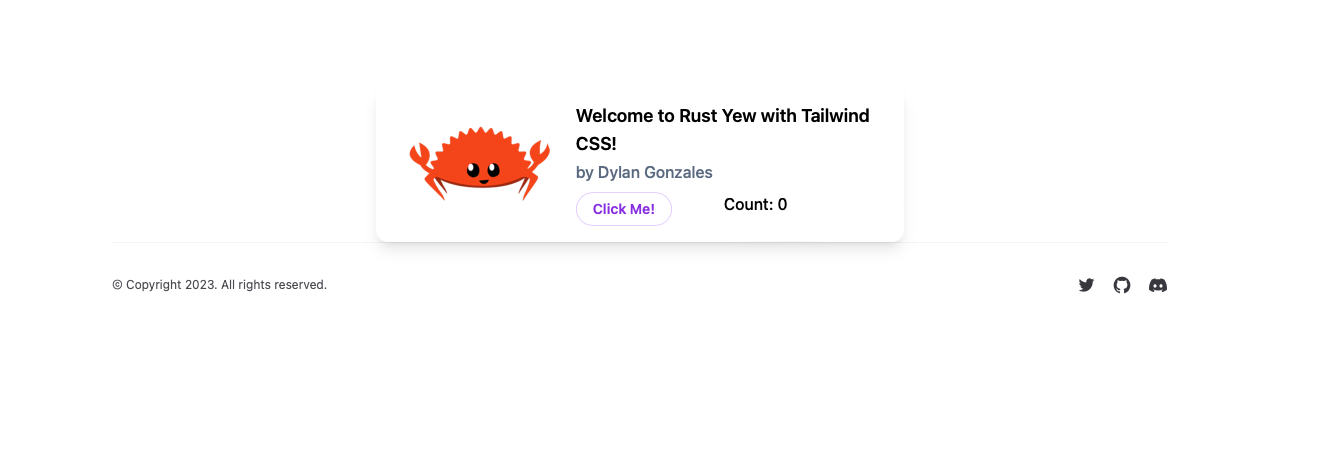
    Application Preview

    Table of Contents

    Getting Started

    This section provides supporting steps and documentation for developing locally.

    Prerequisites

    Before jumping into the code, there are a few prerequisites.

    1. Local development should be done from a UNIX-based machine – use Linux, MacOS, or WSL2 if you’re on a Windows machine.

    2. GitHub access should be managed through an SSH key in your UNIX environment. If you’re unfamiliar with this process start here.

    3. pre-commit should be installed globally on your machine for linting and validating your code prior to pushing up to GitHub.

    4. Rust should be installed globally on your machine for compiling and running code.

    5. Optionally, the Rust-Analyzer extension can be installed in VS Code for a better development experience.

    6. Node Version Manager should be installed on your machine for managing node versions for current and future maintenance of UI packages. This project is currently using v18.13.0.

      source ~/.nvm/nvm.sh  # activate nvm once installed
      
      nvm install v18.13.0  # install node
      
      nvm use v18.13.0  # use node

    Local Development Guide

    1. Clone the repository (if this is your first time).

      git clone git@github.com:dgonzo27/rust-yew-tailwind.git
    2. Navigate into the repository directory.

      cd rust-yew-tailwind
    3. Ensure pre-commit is enabled for this repository.

      pre-commit install
    4. Enable node version manager.

      source ~/.nvm/nvm.sh  # activate nvm
      
      nvm use v18.13.0  # use node
    5. Setup the project.

      cd client
      
      npm run setup
    6. Run the project.

      npm run dev
    7. Visit http://localhost:8080.

    Need Support?

    File an issue via GitHub Issues.

    Reporting Security Vulnerabilities and Security Bugs

    Security vulnerabilities and bugs should be reported privately, via email, to the maintainers of this repository. Please contact Dylan Gonzales. For more information, visit the security guidelines.

    Contributing

    Before contributing to this repository, please review the code of conduct.

    Contributions and suggestions are welcomed. However, there is a level of responsibility placed on the contributor to follow best-practices, provide thorough testing, follow the branching strategy, use the pull request template, and maintain a positive and coachable attitude when receiving feedback or questions on your code. For more details on these responsibilities, please visit the contributing guide.

    When contributing, you are granting the maintainers of this repository the rights to use your contribution(s).

    Visit original content creator repository
  • image

    Dart Image Library

    Dart CI pub package

    Overview

    The Dart Image Library provides the ability to load, save, and manipulate images in a variety of image file formats.

    The library can be used with both dart:io and dart:html, for command-line, Flutter, and web applications.

    NOTE: 4.0 is a major revision from the previous version of the library.

    Read/Write

    • JPG
    • PNG / Animated PNG
    • GIF / Animated GIF
    • BMP
    • TIFF
    • TGA
    • PVR
    • ICO

    Read Only

    • WebP / Animated WebP
    • PSD
    • EXR
    • PNM (PBM, PGM, PPM)

    Write Only

    • CUR

    Examples

    Create an image, set pixel values, save it to a PNG.

    import 'dart:io';
    import 'package:image/image.dart' as img;
    void main() async {
      // Create a 256x256 8-bit (default) rgb (default) image.
      final image = img.Image(width: 256, height: 256);
      // Iterate over its pixels
      for (var pixel in image) {
        // Set the pixels red value to its x position value, creating a gradient.
        pixel..r = pixel.x
        // Set the pixels green value to its y position value.
        ..g = pixel.y;
      }
      // Encode the resulting image to the PNG image format.
      final png = img.encodePng(image);
      // Write the PNG formatted data to a file.
      await File('image.png').writeAsBytes(png);
    }

    To asynchronously load an image file, resize it, and save it as a thumbnail:

    import 'package:image/image.dart' as img;
    
    void main(List<String> args) async {
      final path = args.isNotEmpty ? args[0] : 'test.png';
      final cmd = img.Command()
        // Decode the image file at the given path
        ..decodeImageFile(path)
        // Resize the image to a width of 64 pixels and a height that maintains the aspect ratio of the original. 
        ..copyResize(width: 64)
        // Write the image to a PNG file (determined by the suffix of the file path). 
        ..writeToFile('thumbnail.png');
      // On platforms that support Isolates, execute the image commands asynchronously on an isolate thread.
      // Otherwise, the commands will be executed synchronously.
      await cmd.executeThread();
    }
    Visit original content creator repository
  • store.js

    Store.js

    Cross-browser storage for all use cases, used across the web.

    Circle CI npm version npm

    Store.js has been around since 2010 (first commit, v1 release). It is used in production on tens of thousands of websites, such as cnn.com, dailymotion.com, & many more.

    Store.js provides basic key/value storage functionality (get/set/remove/each) as well as a rich set of plug-in storages and extra functionality.

    1. Basic Usage
    2. Supported Browsers
    3. Plugins
    4. Builds
    5. Storages

    Basic Usage

    All you need to know to get started:

    API

    store.js exposes a simple API for cross-browser local storage:

    // Store current user
    store.set('user', { name:'Marcus' })
    
    // Get current user
    store.get('user')
    
    // Remove current user
    store.remove('user')
    
    // Clear all keys
    store.clearAll()
    
    // Loop over all stored values
    store.each(function(value, key) {
    	console.log(key, '==', value)
    })

    Installation

    Using npm:

    npm i store
    // Example store.js usage with npm
    var store = require('store')
    store.set('user', { name:'Marcus' })
    store.get('user').name == 'Marcus'

    Using script tag (first download one of the builds):

    <!-- Example store.js usage with script tag --> <script src="path/to/my/store.legacy.min.js"></script> <script> store.set('user', { name:'Marcus' }) store.get('user').name == 'Marcus' </script>

    Supported Browsers

    All of them, pretty much 🙂

    To support all browsers (including IE 6, IE 7, Firefox 4, etc.), use require('store') (alias for require('store/dist/store.legacy')) or store.legacy.min.js.

    To save some kilobytes but still support all modern browsers, use require('store/dist/store.modern') or store.modern.min.js instead.

    List of supported browsers

    Plugins

    Plugins provide additional common functionality that some users might need:

    List of all Plugins

    Using Plugins

    With npm:

    // Example plugin usage:
    var expirePlugin = require('store/plugins/expire')
    store.addPlugin(expirePlugin)

    If you’re using script tags, you can either use store.everything.min.js (which has all plugins built-in), or clone this repo to add or modify a build and run make build.

    Write your own plugin

    A store.js plugin is a function that returns an object that gets added to the store. If any of the plugin functions overrides existing functions, the plugin function can still call the original function using the first argument (super_fn).

    // Example plugin that stores a version history of every value
    var versionHistoryPlugin = function() {
    	var historyStore = this.namespace('history')
    	return {
    		set: function(super_fn, key, value) {
    			var history = historyStore.get(key) || []
    			history.push(value)
    			historyStore.set(key, history)
    			return super_fn()
    		},
    		getHistory: function(key) {
    			return historyStore.get(key)
    		}
    	}
    }
    store.addPlugin(versionHistoryPlugin)
    store.set('foo', 'bar 1')
    store.set('foo', 'bar 2')
    store.getHistory('foo') == ['bar 1', 'bar 2']

    Let me know if you need more info on writing plugins. For the moment I recommend taking a look at the current plugins. Good example plugins are plugins/defaults, plugins/expire and plugins/events.

    Builds

    Choose which build is right for you!

    List of default builds

    Make your own Build

    If you’re using npm you can create your own build:

    // Example custom build usage:
    var engine = require('store/src/store-engine')
    var storages = [
    	require('store/storages/localStorage'),
    	require('store/storages/cookieStorage')
    ]
    var plugins = [
    	require('store/plugins/defaults'),
    	require('store/plugins/expire')
    ]
    var store = engine.createStore(storages, plugins)
    store.set('foo', 'bar', new Date().getTime() + 3000) // Using expire plugin to expire in 3 seconds

    Storages

    Store.js will pick the best available storage, and automatically falls back to the first available storage that works:

    List of all Storages

    Storages limits

    Each storage has different limits, restrictions and overflow behavior on different browser. For example, Android has has a 4.57M localStorage limit in 4.0, a 2.49M limit in 4.1, and a 4.98M limit in 4.2… Yeah.

    To simplify things we provide these recommendations to ensure cross browser behavior:

    Storage Targets Recommendations More info
    all All browsers Store < 1 million characters (Except Safari Private mode)
    all All & Private mode Store < 32 thousand characters (Including Safari Private mode)
    localStorage Modern browsers Max 2mb (~1M chars) limits, android
    sessionStorage Modern browsers Max 5mb (~2M chars) limits
    cookieStorage Safari Private mode Max 4kb (~2K chars) limits
    userDataStorage IE5, IE6 & IE7 Max 64kb (~32K chars) limits
    globalStorage Firefox 2-5 Max 5mb (~2M chars) limits
    memoryStorage All browsers, fallback Does not persist across pages!

    Write your own Storage

    Chances are you won’t ever need another storage. But if you do…

    See storages/ for examples. Two good examples are memoryStorage and localStorage.

    Basically, you just need an object that looks like this:

    // Example custom storage
    var storage = {
    	name: 'myStorage',
    	read: function(key) { ... },
    	write: function(key, value) { ... },
    	each: function(fn) { ... },
    	remove: function(key) { ... },
    	clearAll: function() { ... }
    }
    var store = require('store').createStore(storage)
    Visit original content creator repository
  • qhs

    qhs

    CI Status

    SQL queries on CSV and TSV files

    This is a Haskell implementation of q command.

    Installation

    Homebrew

    brew install itchyny/tap/qhs

    Build with stack

    stack install qhs

    Usage

    In the beginning, qhs [QUERY] is the basic usage.

     $ wc * > wc_out.txt
     $ qhs "SELECT * FROM ./wc_out.txt"
    66 471 3131 File.hs
    118 649 4962 Main.hs
    61 258 2346 Option.hs
    51 366 2564 Parser.hs
    45 273 1769 SQL.hs
    341 2017 14772 total

    You can specify the file name for the table name.
    The column names are automatically assigned as c1, c2 and so on.

     $ qhs "SELECT c4,c1 FROM ./wc_out.txt WHERE c4 <> 'total' ORDER BY c1 DESC"
    Main.hs 118
    File.hs 66
    Option.hs 61
    Parser.hs 51
    SQL.hs 45

    The qhs command can read the table from the standard input as well.

     $ wc * | qhs "SELECT c4,c1 FROM - WHERE c4 <> 'total' ORDER BY c1 DESC"
    Main.hs 118
    File.hs 66
    Option.hs 61
    Parser.hs 51
    SQL.hs 45

    You can use -H flag to make qhs regard the head line as the row of column names.

     $ cat basic.csv
    foo,bar,baz
    a0,1,a2
    b0,3,b2
    c0,,c2
     $ qhs -H "SELECT * FROM basic.csv WHERE bar IS NOT NULL"
    a0 1 a2
    b0 3 b2

    You can use the basic SQL operations; GROUP BY, ORDER BY, LIMIT and COUNT(*).

     $ ps -ef | qhs -H -O "SELECT UID,COUNT(*) cnt FROM - GROUP BY UID ORDER BY cnt DESC LIMIT 3"
    UID cnt
    503 102
    0 86
    89 3

    You can also use other SQL operations like JOIN, UNION and sub-query.
    The command helps you deal with multiple CSV files.

    Please refer to qhs --help for further options.
    The command respects the behaviour of the original q command.

     $ qhs --help
    qhs - SQL queries on CSV and TSV files
    
    Usage: qhs [-H|--skip-header] [-O|--output-header] [-d|--delimiter DELIMITER]
               [-t|--tab-delimited] [-p|--pipe-delimited]
               [-D|--output-delimiter OUTPUT_DELIMITER] [-T|--tab-delimited-output]
               [-P|--pipe-delimited-output] [-k|--keep-leading-whitespace]
               [-z|--gzipped] [-q|--query-filename QUERY_FILENAME] [QUERY]
    
    Available options:
      -h,--help                Show this help text
      -v,--version             Show the version of the command.
      -H,--skip-header         Skip the header row for row input and use it for
                               column names instead.
      -O,--output-header       Output the header line.
      -d,--delimiter DELIMITER Field delimiter. If not specified, automatically
                               detected.
      -t,--tab-delimited       Same as -d $'\t'.
      -p,--pipe-delimited      Same as -d '|'.
      -D,--output-delimiter OUTPUT_DELIMITER
                               Field delimiter for output. If not specified, the
                               argument of -d DELIMITER is used.
      -T,--tab-delimited-output
                               Same as -D $'\t'.
      -P,--pipe-delimited-output
                               Same as -D '|'.
      -k,--keep-leading-whitespace
                               Keep leading whitespace in values. The leading
                               whitespaces are stripped off by default.
      -z,--gzipped             Assuming the gzipped input.
      -q,--query-filename QUERY_FILENAME
                               Read query from the provided filename.

    Author

    itchyny (https://github.com/itchyny)

    License

    This software is released under the MIT License, see LICENSE.

    Visit original content creator repository